 HomeTechPicks
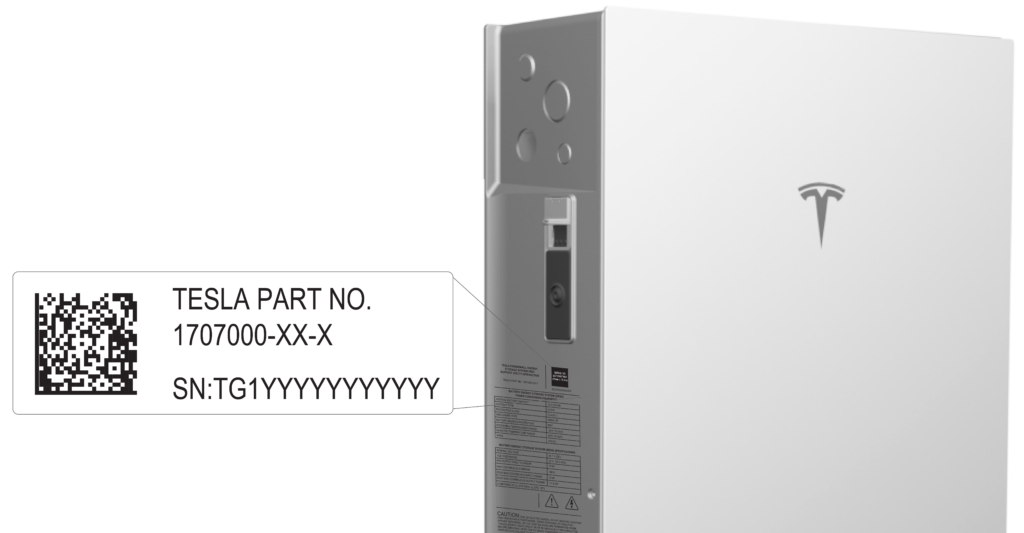
Tesla's Fleet API energy endpoints treat a Powerwall site as something to query and adjust—live status, backup reserve, storm mode, operation mode (autonomous for time-based control, self_consumption for self-powered), grid import/export, and a dedicated POST for off_grid_vehicle_charging_reserve, which sets the site's off-grid vehicle charging backup reserve. That sits beside a separate backup endpoint for the general backup reserve. Charge history returns Wall Connector energy in watt-hours; backup history returns off-grid event duration in seconds. The Powerwall 3 Owner's Manual covers the hardware: a fully integrated solar and battery system for self-consumption, load shifting, or off-grid use, installed with Backup Switch, Backup Gateway 2, or Gateway 3, with up to three Powerwall 3 Expansion units for extra storage.
Backup reserve is the battery floor held for home loads when the grid drops. Off-grid vehicle charging reserve is a separate dial for how much storage can still feed the vehicle while the site is off-grid. Live status reports power, state of energy, grid status, and storm mode; site_info exposes assets, settings such as backup reserve, and features like storm_mode_capable. The Owner's Manual still steers owners to the Tesla app for real-time power and solar/grid/Powerwall mix—not to Fleet API. Official docs: https://developer.tesla.com/docs/fleet-api/endpoints/energy and https://energylibrary.tesla.com/docs/Public/EnergyStorage/Powerwall/3/OwnerManual/Print/en-us/Powerwall-3-Owner-Manual-EN-US.pdf
Gaps stay blunt. The Owner's Manual does not document Fleet API, nor how off-grid vehicle charging reserve interacts with whole-home versus partial-home backup. Fleet API is a developer surface—energy_site_id, authentication, partner or third-party tokens—not a consumer toggle explained in the manual. No Wall Connector means charge_history has nothing useful to return. At temperature extremes Powerwall 3 may limit charge or discharge; the equipment is not user-serviceable.
Get the Fleet API energy stack if the house already has Powerwall (ideally Powerwall 3 with gateway hardware) and an EV, and someone needs programmatic reserve control or Wall Connector charge telemetry. Skip if the Tesla app alone is enough, or if there is no battery-plus-EV stack to reserve against. Install Powerwall 3 plus Backup Switch, Backup Gateway 2, or Gateway 3 before expecting off-grid behavior; add a Wall Connector if charge history matters; wire automation only after Fleet API access is actually granted.